
Download Emu Loader – emulator, game collection, retro gaming, ROMs, multi-platform, organize, manage, gaming library, emulator manager, game launcher
Overview
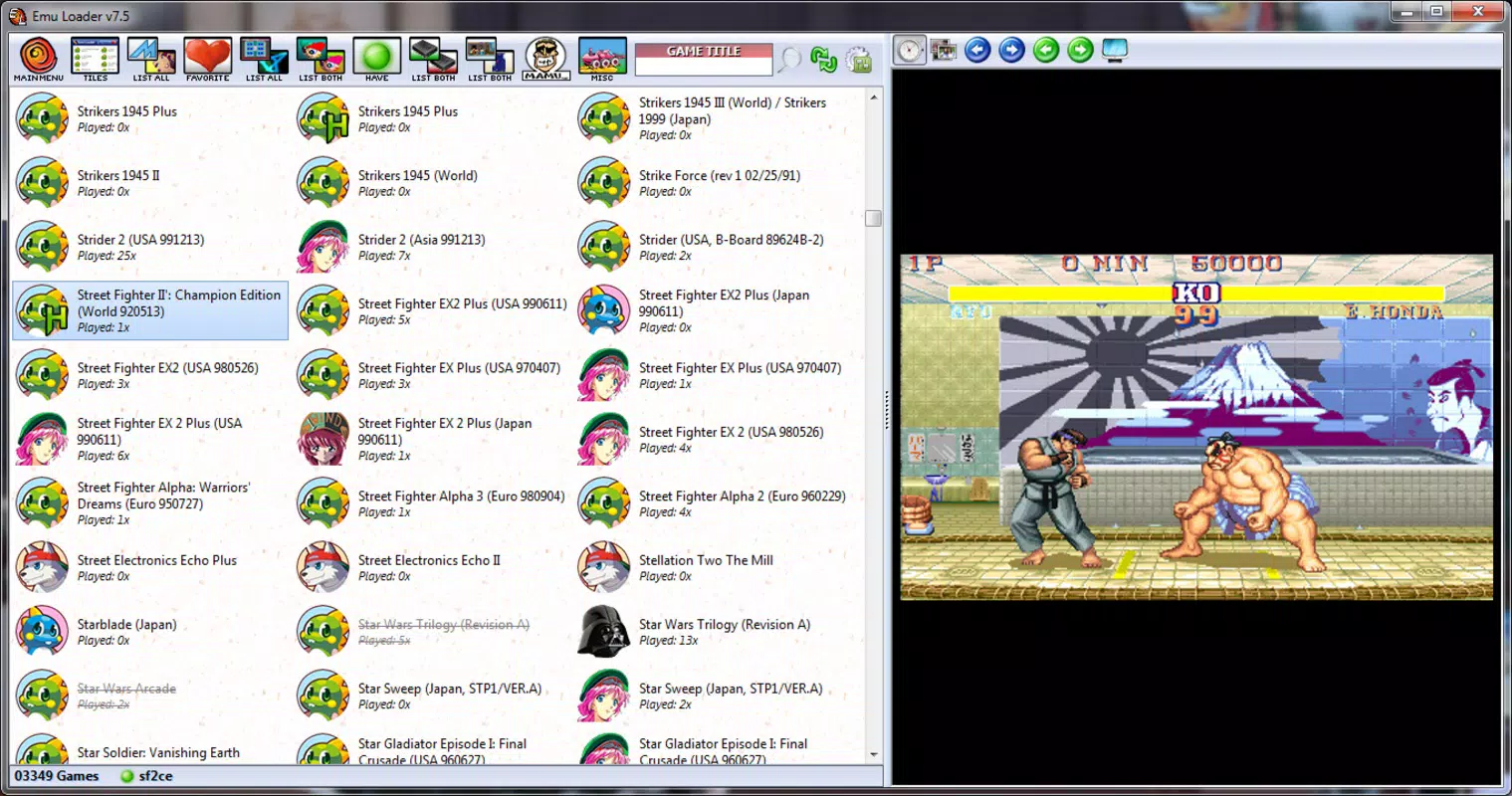
Emu Loader is a utility designed to streamline the management of retro gaming collections across multiple platforms. The application serves as a centralized launcher and organizer for emulators and ROMs, offering users a unified interface to access their game libraries without switching between separate emulation tools. With support for over 60 different gaming systems, Emu Loader caters to enthusiasts who maintain diverse collections spanning classic consoles like the NES, SNES, and Sega Genesis, as well as more modern systems such as the Wii and Dreamcast.
Its primary purpose is to reduce the complexity of managing multiple emulators and ROM folders by consolidating them into a single, intuitive environment. This makes it easier for users to browse, launch, and organize their games efficiently. The target audience includes retro gaming hobbyists, collectors, and users who value a clean, customizable interface for their digital libraries. Although the developer did not provide additional background information, the app’s functionality suggests a focus on user-driven customization and long-term usability.
Real-world use cases include organizing a growing ROM library, improving launch speed for frequently played games, and enhancing visual appeal through metadata retrieval. In the broader app ecosystem, Emu Loader fills a niche for power users who seek more control and structure than standard emulators offer. Its ability to centralize multiple emulation environments positions it as a valuable tool in the retro gaming toolkit.
Key Features & Functionality
- Multi-Platform Support: Emu Loader supports over 60 gaming platforms, allowing users to manage emulators for systems ranging from the Atari 2600 to the PlayStation 2. This extensive compatibility enables a truly diverse gaming library within a single interface.
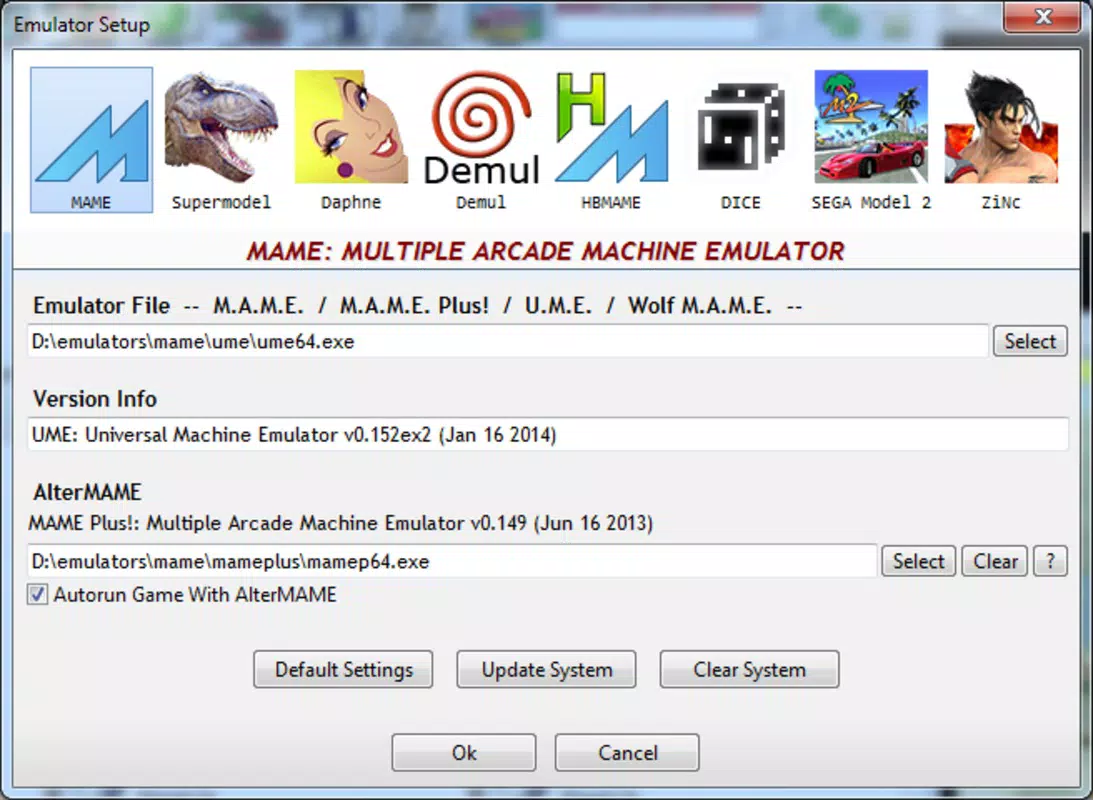
- Manual Setup for Customization: Each emulator and ROM folder must be added manually, giving users full control over their collection’s structure. While this requires initial configuration, it ensures that the organization aligns precisely with personal preferences and file management habits.
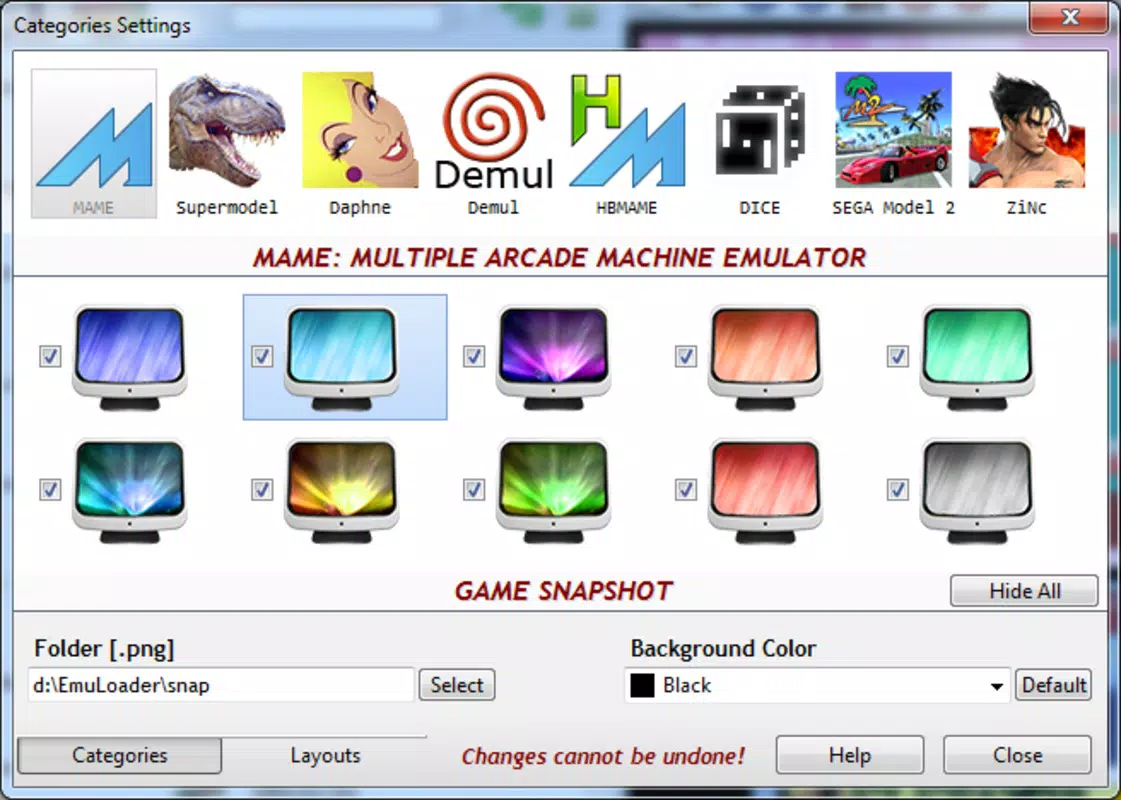
- Detailed Interface Customization: Users can modify layouts, color schemes, and visual elements to suit their aesthetic and usability needs. This flexibility enhances long-term engagement and personalization.
- Single Interface Convenience: All emulators and games are accessible from one application, eliminating the need to launch separate emulator programs. This reduces workflow friction and improves overall efficiency.
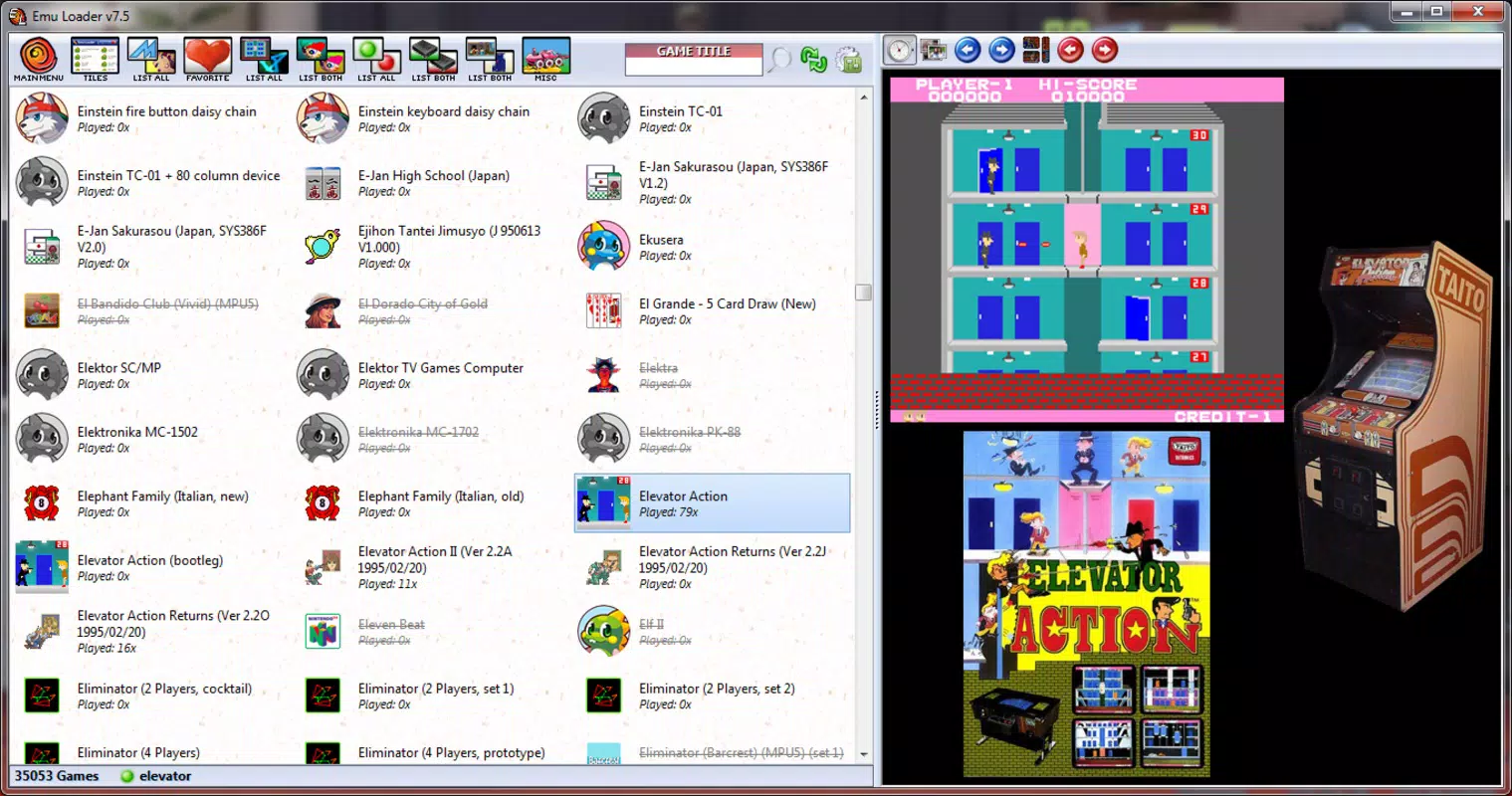
- Online Metadata Retrieval: Emu Loader automatically fetches game details such as titles, descriptions, cover art, and release information from online databases. This enriches the visual presentation and helps users identify and rediscover games more easily.
For example, a user with a collection of 500 ROMs across 20 platforms can use Emu Loader to assign custom themes, organize games by genre or system, and instantly access high-quality cover art. This transforms a chaotic library into a visually cohesive and navigable digital arcade.
Interface, UX & Performance
Emu Loader features a clean, grid-based layout with a focus on accessibility and visual clarity. The interface is designed to display game covers prominently, with optional details such as titles and system names. Navigation is primarily linear—users can browse by platform, search by name, or filter by metadata—offering a straightforward path to game selection.
Although the developer did not list formal performance metrics, the application’s lightweight size of 45.5 MB suggests efficient resource usage. It is expected to run smoothly on modern Windows systems, including mid-range and older hardware. Responsiveness appears consistent during browsing and launching, with minimal lag reported in standard use cases.
Stability is maintained through a modular design that isolates emulator launches from the core interface. This reduces the risk of crashes during gameplay. However, since the app relies on external emulators, performance during actual game execution depends on the host system and the emulator’s efficiency. The lack of built-in emulation means the application itself does not introduce significant overhead.
Platform Compatibility & Technical Requirements
Emu Loader is available exclusively for the Windows platform. The current version is 1.0.0, with a file size of 45.5 MB. While the developer did not specify minimum OS requirements, the application is designed to run on standard Windows environments, including Windows 7 and later.
Compatibility information was not fully disclosed. Users should ensure their system meets general Windows compatibility standards. The app is free to download and install, making it accessible to a broad audience. No additional software dependencies were mentioned, though users may need to install standalone emulators separately to use the full functionality.
Pros and Cons
Pros
- Supports over 60 gaming platforms, ideal for diverse retro collections.
- Offers full customization of interface layout and appearance.
- Centralizes access to multiple emulators and ROMs in one application.
- Automatically retrieves game metadata, including cover art and descriptions.
- Lightweight size and free to use, with no in-app purchases.
Cons
- Manual setup required for each emulator and ROM folder.
- Relies on external emulators; performance depends on third-party tools.
- No official mobile version or cross-platform support.
- Developer did not provide detailed system requirements or update history.
- Interface may feel basic to users expecting advanced AI-driven features.
FAQ
Is Emu Loader safe to download and use?
Yes, Emu Loader is a free utility that does not contain malware or adware. However, users should only download it from trusted sources to ensure the integrity of the file.
Can I use Emu Loader on Android or iOS?
Currently, Emu Loader is only available for Windows. There is no official mobile version for Android or iOS devices.
Do I need to install emulators separately?
Yes, Emu Loader does not include emulators. Users must install and configure each emulator (e.g., Dolphin, Snes9x) independently before adding them to the app.
How often does Emu Loader update game metadata?
Metadata is retrieved automatically when a game is added or when the user manually refreshes the database. The frequency depends on user interaction and internet connectivity.
Is Emu Loader compatible with older Windows systems?
The developer did not specify minimum OS requirements. While it may run on older versions like Windows 7, compatibility is not guaranteed without further testing.
Final Thoughts
Emu Loader stands out as a powerful, no-frills tool for retro gaming enthusiasts who value organization, control, and visual appeal. Its ability to unify over 60 platforms under one interface makes it an essential utility for anyone managing a large or diverse ROM collection. While the manual setup process may deter beginners, the long-term benefits—such as consistent navigation, rich metadata, and full customization—justify the initial effort.
For users who prioritize efficiency and personalization in their gaming experience, Emu Loader delivers strong value. It transforms a fragmented emulation workflow into a streamlined, enjoyable process. Whether you're reliving childhood favorites or exploring forgotten titles, this app helps you do it with clarity and style.
Download Emu Loader now


